
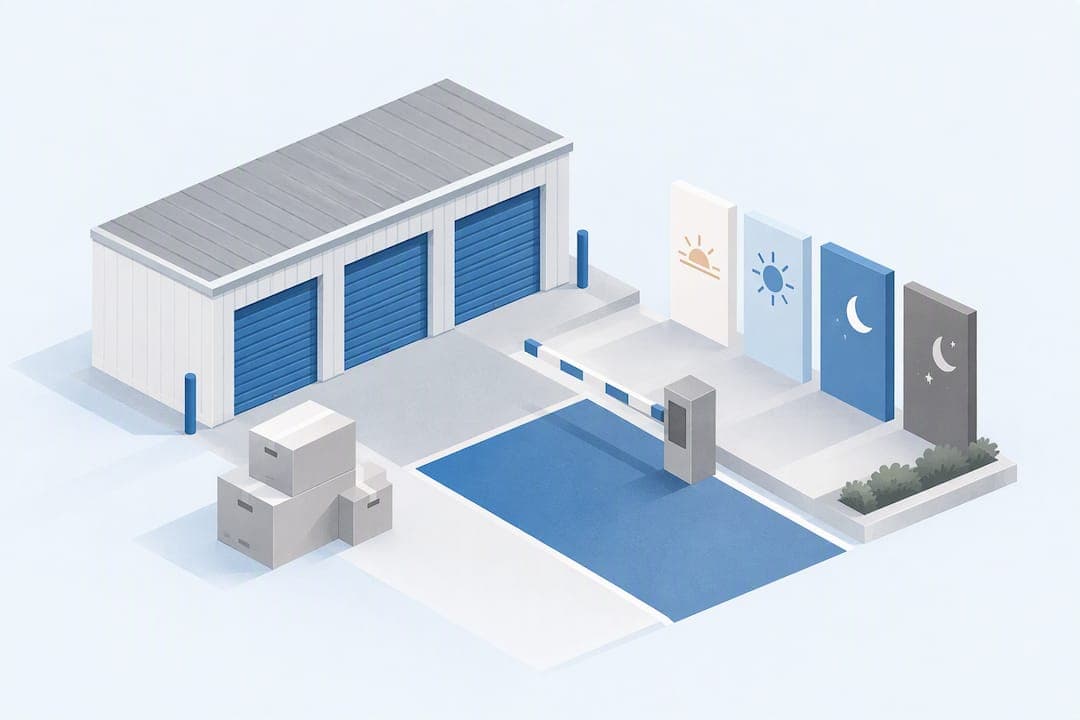
Storage facilities typically offer one of four access models: standard gate and office hours, extended hours, full 24/7 access, or kiosk-based touchless access. Pick 24/7 if your schedule is unpredictable, extended hours if you need regular early or late visits, and standard hours if you only stop by occasionally. Our facility is designed around Touchless Rentals™ and 24-hour kiosks so renters are not boxed in by a single access window.
TL;DR:
- Gate hours govern entry, while office hours indicate staff availability; kiosks can handle rentals, payments, and access codes when employees are absent.
- A 24/7 listing may cover only outdoor gates; confirm interior access for climate controlled units, plus lighting and camera coverage, before relying on access after dark.
- Extended or 24/7 access can cost more because of added security, and facilities often include those costs in monthly rent rather than listing separate fees.
- Check your unit’s access clause and holiday schedule, test kiosks in person, and get any approved after hours arrangement confirmed in writing.
Table of Contents
- 1. Types of storage access hours explained
- 2. How storage access actually works day to day
- 3. How access hours affect cost and unit availability
- 4. Holiday, emergency, and after-hours policies
- 5. How to confirm and request different access hours
- 6. How Inline Storage supports flexible access hours
- 7. How access hours shape convenience and planning
- 8. Access hours by unit type: climate-controlled vs. RV storage
- 9. A few rules of thumb for picking access hours
- Ready to reserve a unit with flexible access
- FAQ
1. Types of storage access hours explained
Gate hours and office hours are not the same thing, and mixing them up causes most of the confusion renters run into. Gate hours control when the physical entrance to the property opens and closes. Office hours describe when staff are on-site to answer questions, process new rentals, or handle payments in person. A facility can easily have gate hours that run far longer than its office hours.
Here is how the common access types typically break down:
- Standard gate and office hours: often something like 6 a.m. to 10 p.m., matching staffed service to gate access.
- Extended hours: gates open earlier or close later than the office, giving renters a wider window without staff present.
- 24/7 access: the gate never locks renters out, though this usually assumes working lighting, cameras, and a secure perimeter.
- Kiosk or touchless access: a self-service terminal or online system handles entry, payment, and even new rentals outside office hours.
24/7 access sounds simple, but it carries expectations. A facility advertising round-the-clock entry should also have adequate lighting and active video surveillance, since an unlit lot at 2 a.m. is not the same thing as genuine 24/7 convenience. Kiosk and touchless access solve a related problem: they let a renter sign a new lease, pay a bill, or get a gate code at 9 p.m. on a Sunday without anyone staffing a front desk.
2. How storage access actually works day to day
Most renters never think about the mechanics until they are standing at a gate wondering why it will not open. The process is usually straightforward once you know the sequence.
- Arrive and identify yourself to the gate, typically by entering a personal access code, scanning a key fob, or using an app linked to your rental.
- The gate or door opens for a set window of time, long enough to drive or walk through before it resets.
- You unlock your own unit with your own lock, since the facility controls the property perimeter but not what is inside your rented space.
- At a kiosk, you can also complete a rental from scratch: select a unit, review the agreement, pay, and receive an access code, all without a staff member present.
Kiosk transactions typically cover renting, paying, and printing or emailing a receipt. Staff assistance still matters for move-in walkthroughs, disputes, or anything involving physical keys and locks that a touchscreen cannot handle. When a facility's website or gate sign lists "access hours," it almost always means gate hours, the window during which the perimeter itself is open, regardless of whether anyone is in the office. Touchless Rentals™ systems and 24-hour kiosks extend that window by handling the paperwork side of renting without requiring staff to be on-site.
3. How access hours affect cost and unit availability
Extended or 24/7 access tends to cost more than basic daytime-only access, mainly because it requires more infrastructure: additional cameras, lighting, and sometimes staffed security. Facilities with these features often price them into monthly rent rather than charging a separate access fee, so it pays to ask directly what is included.
A few features tend to track with higher prices:
- 24-hour kiosks that allow self-service rentals and payments at any time.
- Video surveillance covering the gate, access roads, and unit rows.
- Gated entry with individual codes rather than a single shared gate code.
- Drive-up units that let you pull a vehicle directly to your door, saving time on move-in and move-out.
Smart locker and kiosk systems can deliver 24/7 pickup and automated access control without requiring a staffed front desk, which is part of why facilities built around this model can offer longer access windows without charging dramatically more for it.
When a listing claims "24/7 access," ask whether that applies to the gate, to elevator access for interior units, and to lighting and camera coverage after dark. Those three things do not always move together.
4. Holiday, emergency, and after-hours policies
Office closures on holidays are common, but that does not necessarily mean the property itself is inaccessible. Many facilities keep gate hours running on a holiday schedule even when no one is behind the desk, especially where kiosks or 24/7 access are already part of the model.
Typical patterns look like this:
- Office closed, gate still open: you can access your unit per the posted gate hours even though no staff is present.
- Kiosk still functional: new rentals, payments, and access codes can often still be issued through a kiosk on a holiday.
- Emergency access: most facilities post an emergency contact number for lockouts or urgent issues outside normal hours.
Rental agreements and state storage regulations commonly define access hours and restrict residential use of a unit, meaning sleeping or living inside a storage space is typically prohibited regardless of how flexible the access hours are. If you are planning holiday access, check the facility's website first, call the emergency contact if something urgent comes up, and use a kiosk if one is available rather than assuming the office will be staffed. Your specific rights and limits are spelled out in your signed rental agreement, so that document is the final word over any general assumption.
5. How to confirm and request different access hours
Before you commit to a unit, verify its actual access hours rather than relying on assumptions from a different facility or a general web search.
- Check the online listing for the facility's posted gate and office hours.
- Look at gate signage in person, since posted hours sometimes change faster than a website gets updated.
- Read the "Access Hours" clause in your rental agreement, which is the legally binding version of whatever is advertised.
- Test kiosk access if one exists, confirming it can issue codes or process payments outside office hours.
- Call the facility directly if anything is unclear, especially around holiday schedules or extended-access options.
If you need hours beyond what is standard, ask specifically about any added fees, request written confirmation, and ask how long the arrangement will apply before it needs renewing. A written amendment or email confirmation is the simplest protection if a facility grants you after-hours access, since a verbal promise from a staff member is hard to enforce later. Facilities can deny extended-access requests for security, zoning, or insurance reasons, so having a backup plan matters if yours is turned down.
Pro Tip: Ask to see the kiosk in action before signing a lease, not just read about it, so you know exactly what it can and cannot do after hours.

6. How Inline Storage supports flexible access hours
One facility example is built around the idea that access should not depend entirely on someone being in the office. A few features do most of the work:
- Touchless Rentals™ let you reserve a unit, sign the agreement, and get access credentials online without visiting the office in person.
- Kiosks available 24 hours handle payments, new rentals, and account questions outside standard staffed hours.
- Gated entry restricts the property to renters with valid codes, adding a layer of security beyond an open lot.
- Video surveillance covers access points and unit rows around the clock.
- Drive-up access on many units lets you pull a vehicle right up to your door for faster loading and unloading.
These features line up with the situations that cause the most access-hour frustration: moving on a weekend when the office is closed, needing to grab inventory before a business opens, or wanting to handle a rental entirely online. You can review available sizes and reserve directly through our storage units in South San Antonio page, or start from the Inline Storage homepage to see current unit types and features.
7. How access hours shape convenience and planning
Access hours are not just a technical detail. They decide whether your storage plan actually fits your life. Someone commuting to a 9-to-5 job needs hours that extend into the evening or a 24/7 option, since a facility that closes at 6 p.m. is nearly useless if you only get free time after work. A small business owner restocking inventory before opening hours needs early morning access that a standard daytime-only gate schedule will not provide.
Planning around access hours also means planning around traffic. A facility with a narrow access window during peak commute times can turn a quick stop into a frustrating wait, especially during a move when every trip counts. Wider windows, particularly 24/7 or kiosk-supported access, let you spread trips out and avoid the rush entirely.
The mismatch between expected and actual access hours is one of the more common regrets renters report after choosing a unit based on price alone. A unit that costs slightly less but only allows access from 8 a.m. to 6 p.m. can end up costing more in wasted time, missed trips, or late fees from scrambling to make it there in time. Matching the access model to your actual schedule, not just your budget, tends to matter more over the life of a rental than the sticker price alone.
8. Access hours by unit type: climate-controlled vs. RV storage
Not every unit type comes with the same access expectations, and climate-controlled spaces are a good example. Because climate-controlled units are often inside a building rather than accessed from an open lot, their hours can be more restricted than standard drive-up units, particularly at facilities where interior access depends on a door or elevator that locks on its own schedule. If 24/7 access matters to you, confirm that the claim covers interior climate-controlled areas and not just the outdoor gate.
RV and boat storage tend to work differently again. These spaces are typically larger, often outdoors, and used less frequently but for longer visits, like loading up for a weekend trip. Facilities sometimes apply broader access windows to RV and boat storage since renters need enough daylight and room to maneuver a larger vehicle, and shorter overnight closures matter less when visits are occasional rather than daily. If you are storing a vehicle or boat, check whether access hours differ from the standard unit schedule, since a facility built mainly around small personal-storage units may not have optimized its hours for vehicle storage at all. Our RV storage and boat storage options are designed with that kind of occasional, larger-vehicle access in mind.

9. A few rules of thumb for picking access hours
If you are moving on a single weekend, standard hours are usually fine since you are concentrating activity into a short window anyway. If you need weekly access, lean toward extended hours so evenings and early mornings are not a scramble. Business owners pulling inventory on no fixed schedule should prioritize 24/7 or kiosk access over almost anything else, including price. Students storing belongings for a summer rarely need anything beyond standard hours, since most of that storage period involves zero visits at all.
Whatever you choose, get the access hours in writing before you sign, and physically test the kiosk if the facility has one rather than assuming it works as advertised. One checklist item worth doing immediately: call the facility and ask them to confirm, in an email, exactly which hours apply to your specific unit type.
— Ian
Ready to reserve a unit with flexible access
If your schedule does not fit neatly into a 9-to-5 office window, reserving online through touchless rental systems means you are not waiting on anyone's office hours to get started. 24-hour kiosks can handle payments and account questions after staff have gone home, and gated entry with video surveillance covers the property whether you are picking up a box at noon or loading a trailer at midnight.

- Touchless rental systems let you reserve, sign, and get access credentials entirely online.
- 24-hour kiosks keep rentals and payments available even when the office is closed.
Browse available sizes and reserve your unit through our self-storage units page, or go straight to a specific size like our 10x10 storage units or 10x20 storage units to check current availability.
FAQ
Can you access storage units on holidays?
Many facilities keep gate access running on holidays even when the office is closed, especially where a kiosk or 24/7 model is already in place. Always check the facility's posted holiday schedule or call ahead, since practices vary by location.
What happens if someone gets caught sleeping in a storage unit?
Rental agreements and state storage regulations typically prohibit using a unit as a residence, and violating that clause can lead to lease termination. Facilities generally monitor for this through surveillance and staff checks, treating it as a breach of contract rather than a minor issue.
How much will a 20x20 storage unit hold?
A 20x20 unit is roughly the size of a two-car garage, generally enough for the contents of a three- to four-bedroom home, including furniture and large appliances. Exact capacity depends on how efficiently items are packed and stacked.
What should I check before choosing a storage facility for after-hours access?
Confirm whether the gate, interior unit access, and lighting or camera coverage all genuinely support the hours advertised, since "24/7" can mean different things depending on the facility. Reading the access hours clause in the rental agreement and testing any kiosk in person are the most reliable ways to verify before you sign.
How do I confirm a facility's exact access hours before renting?
Check the online listing, read gate signage in person, and review the "Access Hours" section of the rental agreement, which is the binding version of whatever is advertised. Calling the facility directly is the fastest way to clear up anything that seems inconsistent.