
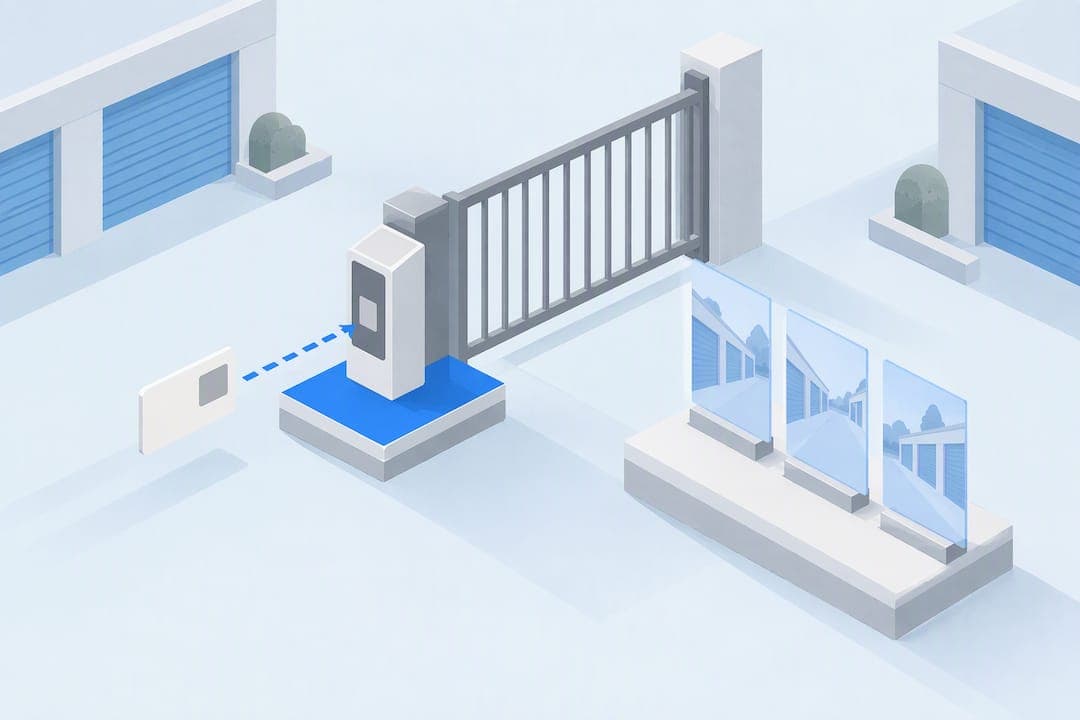
Storage access control is the combination of contactless entry, gate and unit-level technology, and integrated surveillance that decides who gets into a self-storage facility and when. For renters, the three things that matter most are how you get in without touching a shared keypad, how the gate and your unit are protected, and whether cameras and access logs work together to catch problems. We built our own approach around these priorities, and facilities worth renting from should meet basic ADA and fire-code standards too.
TL;DR:
- Ensuring access control integrates timestamped video logs and real-time alerts enhances verification of tenant activity and reduces theft or damage incidents.
- Facility features such as illuminated keypads, backup power, and overlapping cameras are essential for reliable, accessible, and secure storage.
- Contactless rental systems, paired with instant codes and 24-hour kiosks, offer fast move-in options while maintaining accountability through linked access logs.
- Units equipped with alarms or electronic locks provide a crucial second layer of security for valuable or irreplaceable belongings.
- Asking about code issuance, revocation procedures, and maintenance routines helps verify that a facility's security and accessibility standards are truly operational.
Table of Contents
- What storage access control includes
- How access control and surveillance work together
- Access control features renters should look for
- Safety, compliance, and maintenance renters should verify
- Questions to ask and quick tests to run when touring a facility
- How touchless rentals and instant codes work in practice
- A renter's honest take on contactless storage access
- A contactless, secure storage option worth comparing
- FAQ
- Sources
What storage access control includes
A gate is the first layer. Most facilities use an electronic gate operator tied to an access device, so only paying tenants with valid credentials can drive or walk in.
That credential usually comes through one of a few entry devices: a numeric keypad, a card or proximity reader, a Bluetooth-enabled fob or app, a kiosk, or an intercom for calling the office directly. Many facilities mix two or three of these so both occasional renters and frequent commercial users have an easy option.
Per-unit protection is the second layer. Some units come with individual alarms or electronic locks, and drive-up units add the convenience of pulling a vehicle right up to the door without walking through an interior hallway.
Behind all of this sits management software that logs every access event and ties it to a tenant account and, ideally, to video footage. That audit trail is what turns a facility from "locked" to actually accountable: if a code is used at 3 a.m., someone can pull the record and see exactly who it was and what the cameras caught.
How access control and surveillance work together
Separately, a gate code and a security camera each do a modest job. Combined, they do something more useful: they create a timestamped, verifiable record of who entered, when, and what happened next.
When a system is integrated, entering a gate code can automatically bookmark the matching video clip, so staff don't have to scrub through hours of footage to find one event. Integrated access-control and video systems can flag the exact moment a tenant's code was used, which makes verifying a damage claim or a theft report a matter of minutes instead of guesswork.

Consider two common scenarios. First, tailgating, where someone follows a legitimate renter through the gate without entering their own code: a facility with synced video and access logs can spot the mismatch between number of vehicles and number of codes entered. Second, a tenant disputes damage to their belongings: management can match the code history to the timestamped video and confirm who accessed that specific unit and when.
Facilities that invest further are starting to add AI-assisted analytics that flag unusual activity automatically, along with overlapping camera coverage that eliminates blind spots in drive aisles. Security integrators describe tying gate codes to video timestamps as the single most valuable feature for converting passive recordings into something you can actually act on.
Access control features renters should look for
Before you sign a lease, compare facilities against a short list of features that actually affect your day-to-day experience and your risk if something goes wrong.
- An illuminated numeric keypad you can use safely and read clearly at night.
- Instant code delivery by email or text after booking, with no waiting for office hours.
- A 24/7 kiosk for in-person contactless check-in if you'd rather not do everything on a phone.
- Unit alarms or electronic locks for an added layer beyond the perimeter gate.
- Drive-up access if you're moving bulky items often.
- Overlapping camera coverage with no obvious blind spots.
- Audit logs with accurate timestamps tied to video.
- Backup power so the gate and keypad still work during an outage.
Which features matter most depends on who you are. A small business owner pulling inventory weekly will value drive-up access and a fast, reliable code system far more than an occasional resident storing holiday decorations. RV and boat owners should ask specifically about open parking access hours and whether their access device works at a vehicle gate separate from the main building entrance.
Pro Tip: If a facility serves a mix of residential and commercial tenants, look for a hybrid system, numeric codes for simple occasional access and cards or Bluetooth fobs for frequent users, since one method rarely suits everyone well.
Safety, compliance, and maintenance renters should verify
Accessibility and safety standards aren't just paperwork. The 2010 ADA Standards for Accessible Design require operable parts like keypads to be mounted within reach, generally between 15 and 48 inches from the ground, so renters using wheelchairs or other mobility aids can actually operate the entry system themselves. Facilities also need to meet fire and life-safety codes that guarantee clear emergency egress, meaning gates and doors can't trap anyone inside during an emergency.
Routine maintenance keeps these protections real rather than theoretical. Ask whether keypads and cameras are on a scheduled power and function check, whether exit paths are tested regularly, and whether access logs are actually reviewed or just collected and forgotten.
If you notice a keypad that's dark at night, a camera with an obstructed view, or a gate that sticks, report it in writing and keep a copy. A facility that takes maintenance seriously will document the fix; one that doesn't respond is telling you something about how it handles bigger problems too.

Questions to ask and quick tests to run when touring a facility
A short on-site or phone conversation can tell you more than a brochure ever will.
- Ask exactly how codes are issued, delivered, and revoked, especially for a late payment.
- Ask staff to demonstrate the gate opening with a live code, not just describe it.
- Ask what backup power keeps the gate and keypad working during an outage.
- Ask for a general description of camera coverage, including drive aisles and unit rows.
- Confirm whether individual unit alarms or electronic locks are available and at what cost.
- Time how long it takes to complete a contactless check-in at the kiosk or app.
While you're there, look for a keypad that's lit and legible, cameras angled to avoid obvious blind spots, and general signs that equipment is maintained rather than ignored. Unlabeled or disconnected-looking cameras, a keypad that doesn't respond, or staff who can't describe any testing schedule are all worth treating as red flags.
How touchless rentals and instant codes work in practice
Touchless rental flows follow a simple pattern: you book a unit online, receive a personal gate code by email or text within minutes, and use that code at the gate with no office visit required. Every entry ties back to your account in the access log, which is what makes the system auditable rather than just convenient.
Our Touchless Rentals™ system follows this exact flow, paired with 24-hour kiosks for anyone who prefers an in-person contactless option, video surveillance across the property, and unit pricing that starts at $65. Codes can also be deactivated automatically for accounts that fall behind on payment, which keeps the system current without manual intervention.
A renter's honest take on contactless storage access
If I were choosing a unit today, I'd prioritize a facility that pairs a genuinely fast contactless entry flow with overlapping camera coverage and a visible maintenance routine over one that just advertises "24/7 security" without specifics. Convenience and protection aren't a tradeoff when the system is built right. Unit alarms and electronic locks are worth the extra cost if you're storing anything irreplaceable or valuable enough to matter, and reinforcing your facility with storefront security window film can further enhance physical security; options like our own Touchless Rentals™ show that speed and accountability can coexist in the same system.
— Ian
A contactless, secure storage option worth comparing
Renting with us means skipping the office line entirely: book online, get your code by text or email, and drive straight to your South San Antonio storage units, where unit sizes start at $65.

- Touchless Rentals™ for a fully contactless move-in.
- 24-hour kiosks for anyone who wants an in-person contactless option.
- Video surveillance and drive-up access across the property.
- Unit sizes from 5x5 lockers up to 10x30 spaces, plus RV and boat storage.
If you're ready to see what fits, check available self-storage units and reserve a space today.
FAQ
What is storage access control at a self-storage facility?
Storage access control refers to the combination of gate entry systems, keypads or cards, and video surveillance that determines who can enter a facility and a given unit. The strongest setups tie every access event to a timestamped video log so incidents can be verified later.
How do instant access codes work when renting online?
After completing an online rental, you typically receive a personal gate code by email or text within minutes, often with no need to visit an office. Our own Touchless Rentals™ system works this way, pairing instant codes with 24-hour kiosk access for anyone who prefers to check in on-site.
Are self-storage keypads required to meet accessibility standards?
Yes. The ADA Standards for Accessible Design require operable parts such as keypads to be mounted at an accessible height, generally between 15 and 48 inches from the ground.
What should I check before trusting a facility's security claims?
Ask how codes are issued and revoked, request a live demo of the gate, and confirm backup power keeps access working during outages. A weekly gate and access control checklist covering keypad function, emergency egress, and camera operation is standard industry practice worth asking about directly.
Do unit alarms add real protection beyond a gated entry?
Yes. A perimeter gate only protects the property line, while unit alarms and electronic locks add a second layer that specifically covers your individual unit and its contents.
Sources
- Smarter surveillance: a tech-forward approach to camera use in a self-storage environment
- Self-Storage Gate & Access Control System Check | POPProbe